Category Archives: CMS

Wie installiert man TYPO3 mit DDEV für die lokale Entwicklung?

Eine der besten und effizientesten Methoden zur Installation von TYPO3 ist die Verwendung von DDEV. Dabei handelt es sich um eine benutzerfreundliche Docker-Umgebung, die eine einheitliche Konfiguration auf allen lokalen Systemen gewährleistet. Voraussetzungen Stellen Sie vor dem Start sicher, dass Sie Folgendes haben: Nachdem Sie sichergestellt haben, dass das System alle Anforderungen erfüllt, erstellen Sie […]
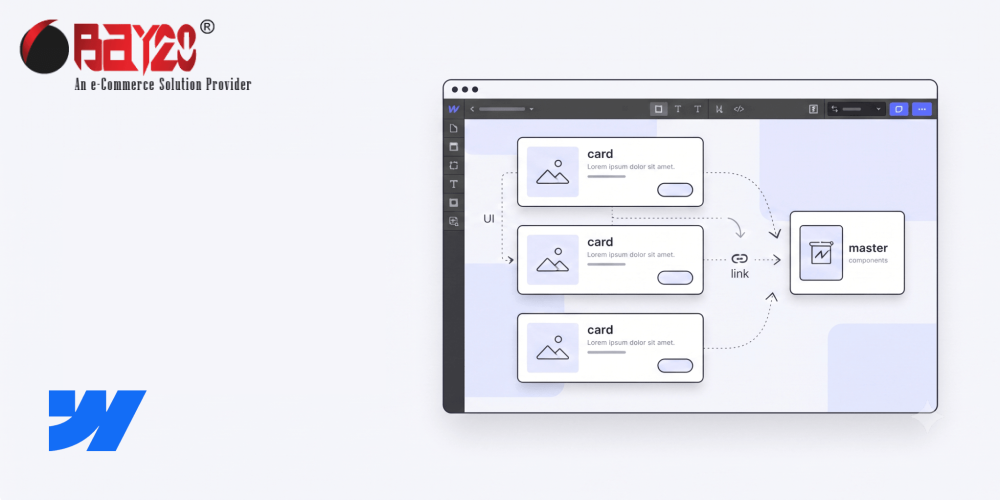
So erstellen Sie wiederverwendbare Komponenten in Webflow

Mit Webflow-Komponenten können Sie jede Gruppe von Elementen – beispielsweise eine Karte, eine Navigationsleiste, eine Schaltfläche oder einen Testimonial-Block – in eine einzige Einheit umwandeln, die wiederverwendet und an beliebiger Stelle auf der Website platziert werden kann. Wenn Sie eine Änderung an der Komponente vornehmen, werden alle Instanzen automatisch auf allen Seiten aktualisiert. Diese Anleitung […]

Europäisches Gesetz zur Barrierefreiheit 2025: Neues EU-Webgesetz

Im Juni 2025 werden die europäischen Länder mit dem neuen Web-Gesetz im Rahmen der Europäischen Zugänglichkeitsverordnung 2025 eine wichtige Änderung der digitalen Zugänglichkeit einführen. Die Barrierefreie-Informationstechnik-Verordnung (BITV 2.0) wird vorschreiben, dass alle Websites und mobilen Apps für Menschen mit Behinderungen zugänglich sein müssen. Diese Verordnung steht im Einklang mit dem europäischen Gesetz zur Barrierefreiheit und […]

Wie erstellt man ein Sub-Theme in Drupal?

In Drupal, sub-themes are children that inherit the functionality and styles of a parent theme. This allows you to make customizations to the site while keeping core features and updates intact. It’s a common practice for developers to use sub-themes when they want to make changes to how a site looks without interfering with any changes or updates their peers are making. You can create one of these in Drupal by following these steps:

Wie verwendet man Block-Layout in Drupal?

In Drupal, blocks are like little puzzle pieces. They’re self-contained pieces of content that can be put in different areas on your website’s theme. So if the header and footer are regions on your website, then consider blocks as the content in them. No matter where you place them, they never lose their shape or functionality. You can fill blocks with all sorts of things like text, images, menus, or forms — perfect for those who want to spice up their website!

Wie aktiviert man den Wartungsmodus in Drupal?

Enable Maintenance Mode in Drupal

Maintenance mode is the state or setting that a system, website, application, or device gets put in when it needs to be taken out of commission on purpose. This is so they can perform maintenance, repairs, updates, and other necessary tasks. For good reason, these systems are usually inaccessible to users while in this mode. It prevents any problems that can arise from people using it while being worked on. Below are steps for enabling the maintenance mode in Drupal.