

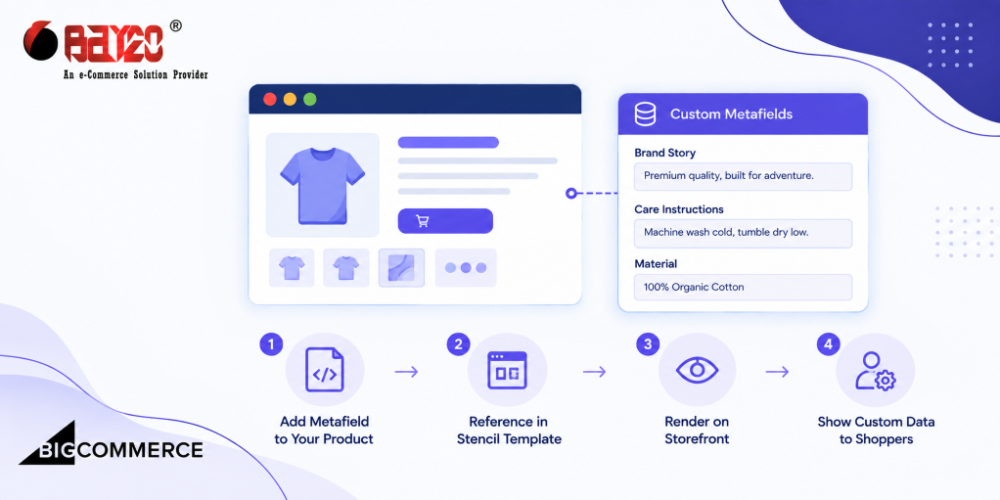
Metafields are BigCommerce’s way of attaching structured, custom data to a product, category, brand, or cart, something beyond what the standard fields cover. They are organized under a namespace and key, so multiple apps or features can store their own data without stepping on each other. Metafields are a genuinely useful piece of the platform. They are also one of the more confusing things to actually get onto a storefront page.
Someone tries to pull a metafield into a Stencil template and reaches for the same pattern that works for custom fields. Loop over an array on the product object, match on a name, print the value. Then nothing shows up. Not an error, not a blank string, just nothing, because the array they’re looping over doesn’t even exist. That’s usually the moment someone realizes metafields and custom fields are handled completely differently in a template.
Why are Metafields different from Custom Fields
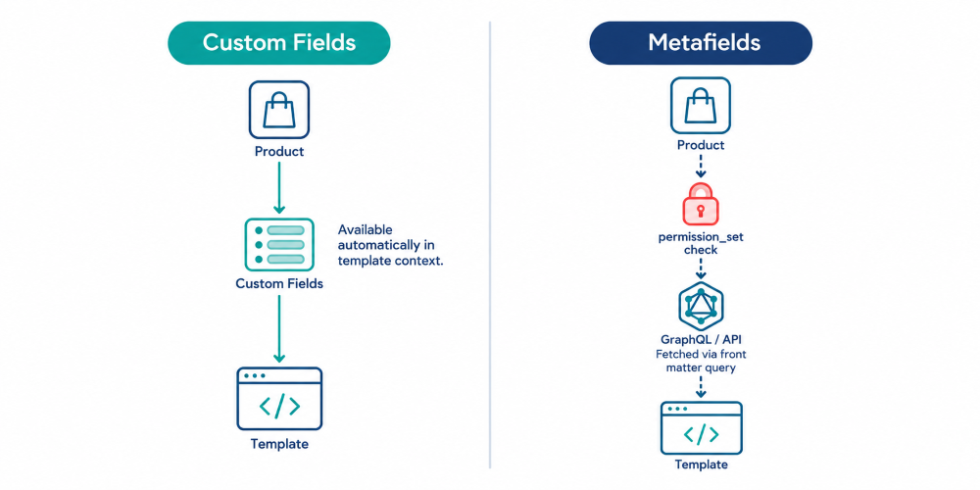
Custom fields are the easy case. They’re already sitting in the page context by the time your template runs, as product.custom_fields, an array of { name, value } pairs. Loop, match, done.
{{#each product.custom_fields}}
  {{#if (eq this.name "thread_count")}}
    <span class="thread-count">{{this.value}}</span>
  {{/if}}
{{/each}}
Metafields get none of that. They’re not part of the default product context Stencil builds. If you look for product.metafields in a stock Cornerstone template, you won’t find it. No amount of clever looping brings back data that was never fetched to begin with.
Set the correct permission_set for the metafields
Before you even touch a template, there’s a field on the metafield itself that decides whether the storefront can see it at all. Every metafield carries a permission_set, one of app_only, read, write, read_and_sf_access, or write_and_sf_access. Only the two _sf_access variants are visible to the storefront GraphQL API. Stencil relies on the GraphQL API to pull metafield data into a page.
Use GraphQL front-matter to get metafields
Since metafields aren’t in the default context, you have to go get them yourself. So, you need to use a GraphQL query in the template’s front matter. Front matter lives at the top of a Stencil template between --- markers. A gql block there runs a query against the Storefront GraphQL API before the page renders, dropping the result back into the page context under a name you choose.
---
gql: |
  query productMetafieldsById($productId: Int!) {
    site {
      product(entityId: $productId) {
        entityId
        metafields(namespace: "shared") {
          edges {
            node {
              key
              value
            }
          }
        }
      }
    }
  }
---

{{#each data.site.product.metafields.edges}}
  {{#if (eq this.node.key "size-guide")}}
    <div class="size-guide">{{{this.node.value}}}</div>
  {{/if}}
{{/each}}
Notice there’s no separate variables block mapping productId to anything. $productId is one of the special variables Stencil recognizes automatically depending on the page type. On product page, Stencil injects the current productId into a query that declares a variable with that exact name. You don’t populate it yourself. If you’re not relying on one of these special variables, you can also write a query with no variables at all.
The namespace argument is doing real work here. Metafields are grouped by namespace specifically so you can scope a query to one group. You do not need to pull every metafield attached to a product whether you need it or not. If a field isn’t coming through, check that the namespace in your query is an exact match for whatever it was saved as. This fails silently, not loudly, a typo here just looks like the metafield doesn’t exist.
Why does naming consistency matter so much here?
namespace and key both cap out at 64 characters. BigCommerce treats both as literal strings, so there’s no case folding and no fuzzy matching. Save something under namespace Shared, then query for shared, and you get a miss. It looks exactly like the field never existed. Because of that, it helps to pick a naming convention early. Lowercase and hyphenated works fine. This seems like a small thing at first. However, once three people start adding metafields to the same store with three different casing habits, it turns into a genuinely annoying bug to track down.
Why doesn’t it work on every template automatically?
The fetch lives inside one specific template’s front matter, so it only applies there. Adding a gql block to product.html doesn’t make that data available on category.html, or anywhere else. Instead, every template that needs a given metafield needs its own copy of that front matter block. This is easy to forget, especially if you’re coming from custom fields, since those show up everywhere without any setup at all. So if a metafield renders fine on the product page but disappears inside a reused component, a related-products partial, for example, that’s usually why. The partial never asked for the data. Only the parent template did.
Where this actually gets used
Size guides, care instructions, and longer spec sheets are the usual candidates, anything with more structure than a plain custom field but not quite right for the main product description. Metafields also show up in a second, less visible way: apps often write their own metafields purely for internal use, marked app_only, sitting right alongside the _sf_access fields meant to render on the page. Both types can live on the same product at once. Still, no matter how the query is written, only the fields explicitly opened up to the storefront ever make it into a template.
Contact us at wargis@bay20.com / manish@bay20.com or call us at +91-9582784309 or +91-8800519180 for any support related to BigCommerce.






