

Shopware is a superb platform for selling. WordPress is still, after two decades, the best platform in the world for publishing. Most merchants end up using both — a polished Shopware 6 storefront for the shop, and a separate WordPress site for the blog, guides and news that pull in organic traffic. The problem is the gap between them. Your content lives on one domain, your products on another, and every visitor who wants to cross from one to the other has to leave, reload, and often lose their place entirely.
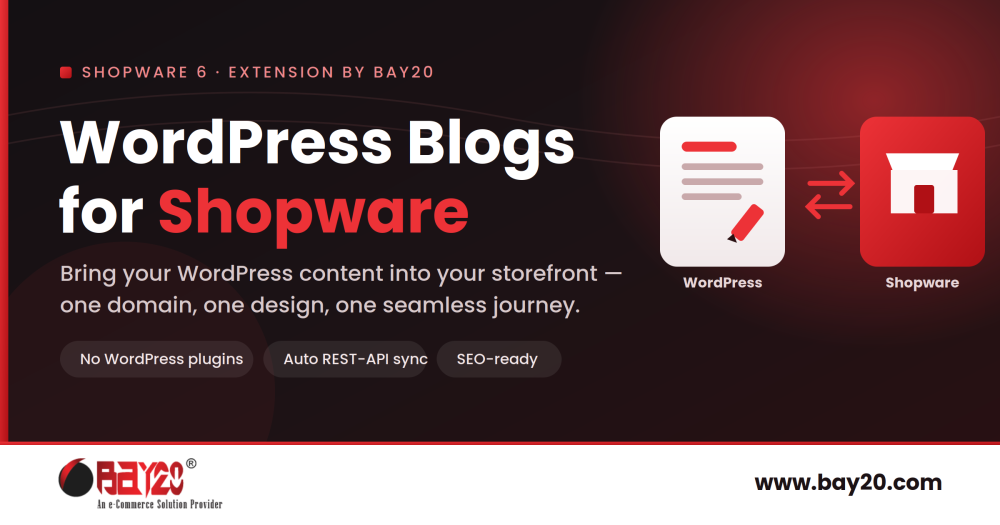
WordPress Blogs for Shopware by Bay20 closes that gap. It brings your WordPress articles directly into your Shopware storefront, so your content and your commerce finally live under one roof — one domain, one design, one journey from reading to buying.
Why Shopware needs a blog it doesn’t ship with
Here is a detail that surprises a lot of merchants: Shopware 6 has no native blog. Even in the latest 6.7 releases there is no dedicated blog database table, no blog CMS element, and no blog command — it is a structural gap in the platform, not a setting you have overlooked. Shopware is built to sell brilliantly and leaves publishing to you.
That matters because content marketing is one of the most durable, lowest-cost ways to win ecommerce traffic. Buying guides, how-tos, comparisons, care instructions and news are exactly the searches that bring new customers in at the top of the funnel — long before they type a product name. A store with no content strategy is relying entirely on people who already know what they want. A store with a strong blog captures the far larger audience still figuring it out.
So every serious Shopware merchant faces the same question: where does the blog live? There are broadly three answers, and each has a catch.
The three usual options — and why each disappoints
Option 1: Shopware’s own Shopping Experiences. You can technically build article-like pages with Shopware’s CMS and custom entities. But these were designed for landing pages, not editorial. You lose the things that make content rank: per-article meta titles and descriptions, dedicated social preview images, and Article schema markup for structured data. For anything beyond a handful of pages, it becomes unwieldy fast.
Option 2: a dedicated Shopware blog plugin. Several exist, and they work — but they ask you to abandon WordPress and re-learn a new editor inside Shopware, migrate existing content, and pay a recurring fee that on some plugins runs to €18–€25 per month. If your marketing team already writes in WordPress every day, throwing that away is a hard sell.
Option 3: keep WordPress on a separate domain or subdomain. This is the most common setup precisely because teams already know WordPress. But it quietly splits your business in two, and the cost shows up in three places at once.
The hidden cost of a separate WordPress blog
It splits your SEO authority. Search engines treat a subdomain like blog.yourshop.com as a separate site that has to build trust from scratch. Backlinks and ranking power earned by your articles do not flow cleanly to your product pages, and vice versa. A subdirectory such as yourshop.com/blog consolidates that authority on one domain instead — which is why content served under your main domain tends to rank faster and lift the whole site. Real migrations bear this out: teams moving a blog off a subdomain have seen Google take months to rebuild trust that a subfolder would have inherited immediately.
It doubles your maintenance and risk. Two platforms means two update cycles, two backup routines, two GDPR cookie-consent setups, and a second, popular, heavily-targeted application to keep patched. Every helper plugin you add to WordPress widens that attack surface further.
It breaks the customer journey. Sessions and cookies do not automatically carry across domains, so a logged-in shopper can appear logged out the moment they click through to the blog. The visual jump between a WordPress theme and your Shopware storefront is jarring, and the reader who finishes an article rarely finds their way back to the right product.
A fourth way: bring WordPress content into Shopware
The best of both worlds is to keep writing in WordPress — the tool your team loves — but serve the finished articles natively inside Shopware, on your main domain, in your own theme. That is exactly what WordPress Blogs for Shopware by Bay20 does, and two design decisions set it apart from the usual iframe or feed-embed hacks.
First, zero WordPress plugins required. It connects to your existing site through WordPress’s built-in REST API — the standard /wp-json/wp/v2/posts endpoint that ships active in every normal WordPress install. You install nothing on the WordPress side. Nothing extra to maintain there, nothing to break on a WordPress update, no new attack surface on your content site. You simply point Shopware at your WordPress base URL.
Second, everything is cached locally in Shopware. Posts, excerpts, full content, featured images, categories, tags and author names are synced into Shopware’s own database (a dedicated bay20_blog_post table). The storefront renders your blog at native Shopware speed — it is not making a live call to WordPress on every page load, so your Core Web Vitals stay healthy and the blog never slows the shop down.
A proper blog, not a bolted-on feed
What your customers see is a fully-featured content section, styled to match your theme:
- Listing and detail pages with clean blog cards and readable article layouts.
- Category and tag filters, so readers can drill into a topic or click a tag to discover related posts.
- Author badges and publication dates on both cards and articles, for credibility and freshness signals.
- Featured images with alt text imported automatically, with fallback placeholders when an image is missing.
- A custom blog URL path — set it to /blog, /news, /magazin, /journal or anything that fits your brand.
Because the blog lives under your Shopware domain as a subdirectory, it feeds your main site’s authority rather than a separate one — the SEO win described above, built in by default. Incoming HTML is run through a sanitisation engine before it renders, so imported content cannot break your layout or introduce security issues; it arrives clean and consistent with your Shopware styling.
Set-and-forget syncing
Once connected, the plugin keeps itself current. New and edited posts sync automatically in the background through Shopware’s Scheduled Tasks, so publishing in WordPress simply makes the article appear in your store. When you need an instant update, a single command — bin/console bay20:blog:sync — forces a sync on demand, with flags to target a sales channel or force a full re-import. And if you delete or unpublish a post in WordPress, the plugin can automatically deactivate it in Shopware too, so nothing stale is left behind.
For public blogs there is nothing to authenticate; for restricted REST APIs you can supply a username and application password. The whole setup is a matter of minutes — install, enter your WordPress URL, run the first sync — not a development project.
The bottom line for your store
Content marketing only pays off when the content actually feeds the shop. By unifying your WordPress blog with your Shopware storefront, every article becomes a genuine entry point to your catalogue: your SEO authority consolidates on one domain, visitors stay inside your funnel, sessions never break, and readers turn into buyers without the friction of a domain hop. You keep the publishing tool your team already knows and gain the seamless, fast, on-brand storefront experience your customers expect.
The plugin is compatible with Shopware 6.6 and 6.7, ships in English and German, and starts with a free trial month. You can find WordPress Blogs for Shopware by Bay20 on the Shopware Store, and browse the rest of our Shopware extensions while you are there.
If you would like the blog styled to match your theme pixel-for-pixel, your existing content migrated, or a broader store optimisation, that is exactly the kind of work our team does every day. Learn more about Bay20 and our dedicated Shopware development company services, and we’ll help you get content and commerce working as one.
For more updates or any support related to Shopware 6, please contact us at wargis@bay20.com/manish@bay20.com or call +91-8800519180 / +91-9582784309. You can also visit our Shopware development page to explore the services we offer.






