

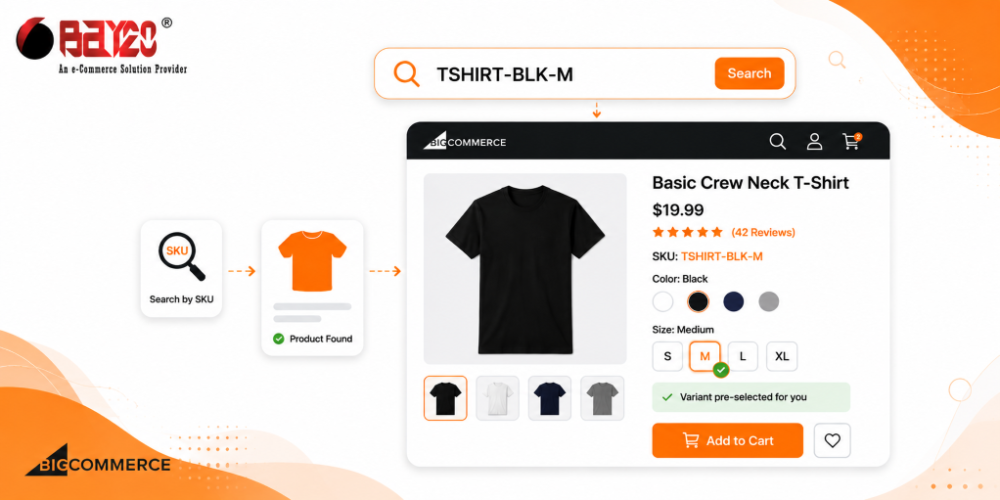
If you run a BigCommerce store with a lot of variants, you’ve probably run into a problem like this. A customer has a SKU in hand, maybe from a spec sheet, an old invoice, or a catalog PDF, and they type it into your search bar expecting to land straight on that exact version of the product. Instead, they go on the main product page with the default option selected. And now they have to go through dropdowns or swatches to find the one they actually wanted.
For stores with dozens of variant combinations per product, that’s friction you don’t need. It’s a small thing, but it makes a huge difference. Especially for B2B buyers and dealers who reorder by SKU rather than browse. The fix is a feature I built on top of BigCommerce’s default search. When someone searches a variant SKU directly, the search results don’t just show the parent product, they show it already point to the right variant.
The approach
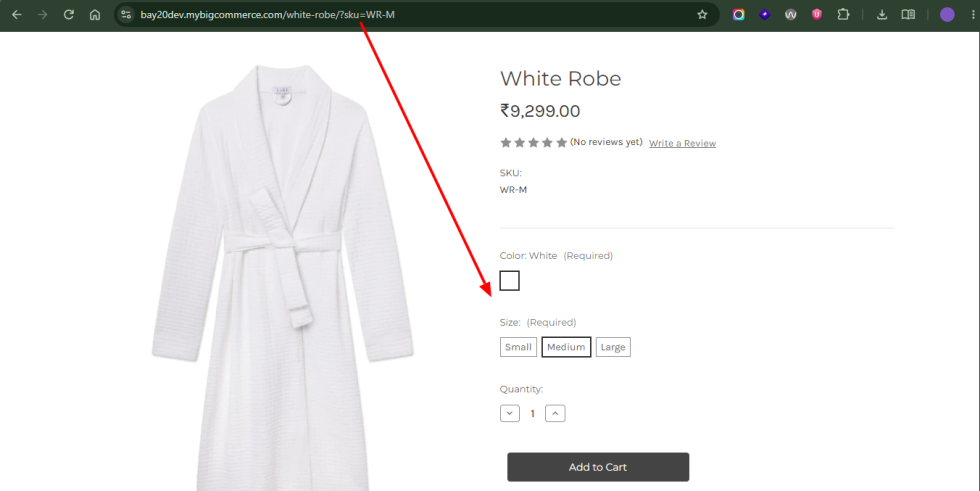
The core idea is simple. When a search query is an exact match for a variant SKU, update that product’s card in the results to reflect the matched variant. And add the SKU onto its link as a query parameter. BigCommerce’s product page already knows how to read a ?sku= parameter and preselect the matching option combination, so the platform does the hard part once the link is right.
This means the actual work is on the search results side. You need to figure out which SKU is searched, find the variant it belongs to, and update the DOM and the link before the customer ever clicks through.
Fetch variant data for the results
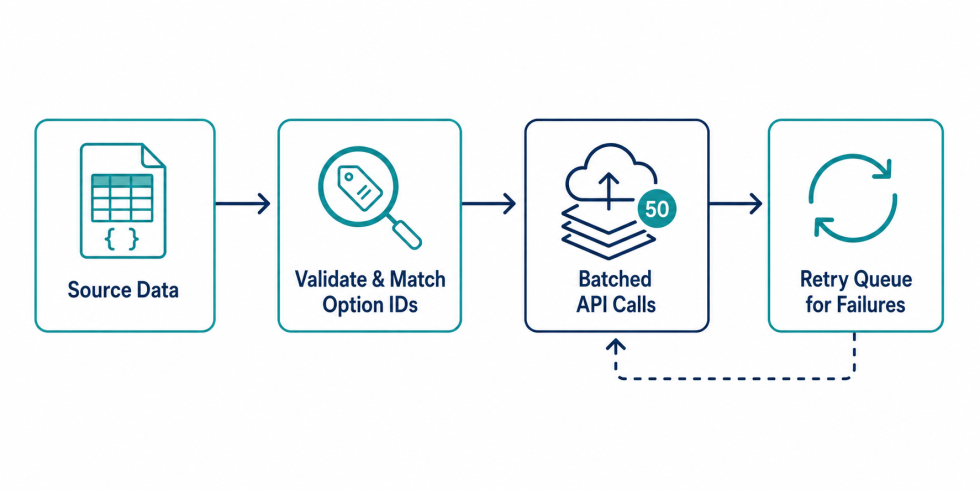
BigCommerce’s Storefront GraphQL API gives you variant-level SKUs and options, which the default search results don’t expose on their own. On the search page, I batch the product IDs already rendered in the results and query their variants:
const query = `
  query SeveralProductsByID {
    site {
      products(first: 50, entityIds: [${productIds}]) {
        edges {
          node {
            entityId
            path
            variants(first: 50) {
              edges {
                node {
                  entityId
                  sku
                  defaultImage { url(width: 300) }
                  prices { price { formattedV2 } }
                }
              }
            }
          }
        }
      }
    }
  }
`;
This runs once the results are on the page, scoped only to the products already showing, so it’s not querying the whole catalog on every search.
Match the search term to a variant
Once the variant data comes back, I check each product’s variants for a SKU that matches the search term exactly:
variants.forEach(variant => {
  const sku = variant.node.sku;

  if (sku && sku === searchQuery) {
    const card = $(`.card[data-product-id="${productId}"]`);
    card.find('.card-image').attr('src', variant.node.defaultImage.url);
    card.find(`a[href*="${productPath}"]`).attr('href', `${productPath}?sku=${sku}`);
    card.find('.sku-value').text(sku);
  }
});
Try to match the exact variant on purpose. A partial match risks pointing the customer to the wrong variant, which is worse than not matching at all. When it matches, the card’s image, SKU text, and link all update to the specific variant before the customer clicks anything.
Let BigCommerce handle the rest
The ?sku= parameter on the link is the part that makes this actually work end-to-end. BigCommerce’s product page natively reads that parameter and preselects the matching option combination on load, no extra code needed on the product page itself. That’s really what makes this worth doing: almost all of the effort lives on the search results side, and the platform already does the preselection once it has the right SKU to work with.
Conclusion:
This only pays off for stores where a meaningful chunk of products have multiple SKUs tied to visual or spec differences, and where customers are likely to search a SKU directly instead of browsing. Lighting, furniture, hardware, anything with a real spec sheet or reorder pattern behind it. If your search results treat every SKU search as a generic product match, this is a fairly contained fix that builds on top of what BigCommerce already gives you.
Please contact us at wargis@bay20.com/manish@bay20.com or call us at +91-9582784309 or +91-8800519180 for any support related to BigCommerce. You can also visit our website to check the services we offer.






