

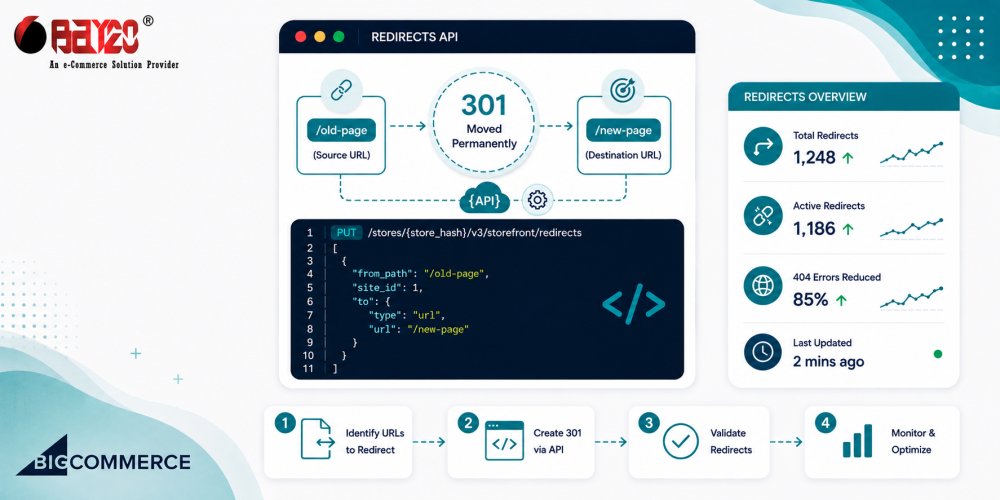
Every store migration, URL restructure, or category rename ends up creating a pile of dead links somewhere. Old product pages that used to rank on Google, blog posts that moved, category paths that got flattened during migration. Handling a handful of these by hand in the control panel is fine. Handling thousands of them after a full site restructure is not something anyone wants to do one by one. That’s really where the Bigcommerce Redirects API earns its keep.
The good news here, and this is worth saying up front because it’s the opposite of how the Catalog API behaves. BigCommerce actually gives you a real batch endpoint for redirects. You’re not stuck creating them one request at a time, unlike with products. But there are still a few sharp edges worth knowing about before you point a script at a live store.
Skip the old Redirects API if you’re starting fresh
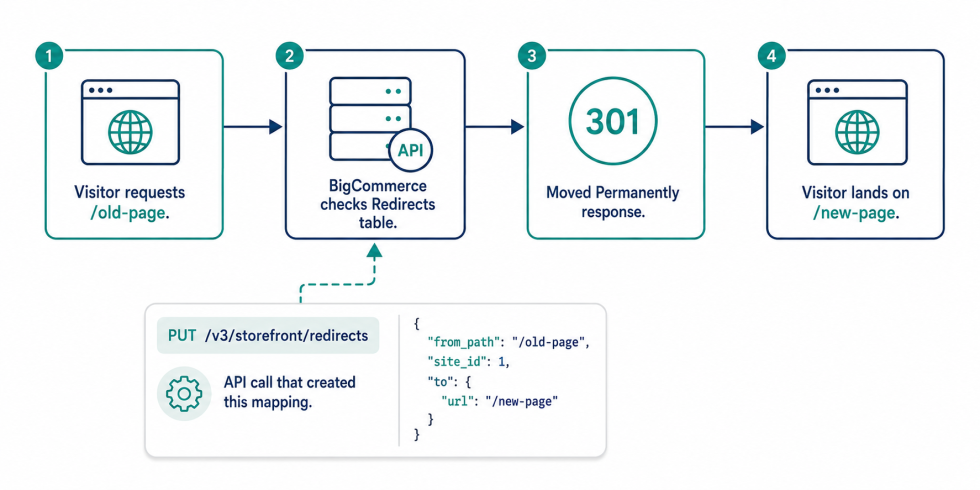
If you search around for BigCommerce redirect examples, you’ll run into a lot of older code using POST /v2/redirects with just a path and forward field. That endpoint still technically works, but it’s deprecated. It creates one redirect per call, and doesn’t understand BigCommerce’s multi-storefront setup at all. BigCommerce has been pushing everyone toward the v3 Management API version for a while now, and that’s the one worth building against, PUT /v3/storefront/redirects, referred to as Upsert Redirects.
Yes, it’s a PUT, not a POST, even though you’re often creating brand new redirects with it. That trips people up the first time they read the docs. The reason is the upsert behavior itself, which turns out to be genuinely useful once you understand what it’s doing.
The upsert behavior is the whole point
Here’s the request shape:
[
  {
    "from_path": "/old-product-page/",
    "site_id": 1,
    "to": {
      "type": "product",
      "entity_id": 482
    }
  }
]
from_path and site_id are required. to is technically optional, but you almost always want it set. Otherwise, the redirect doesn’t have anywhere to send traffic. The type field on to can point at a product, a category, a page, a blog post, a brand, or just a raw external or internal URL if you’re not targeting a specific catalog entity.
Because this is an upsert and not a plain create, running the same payload twice doesn’t throw a duplicate error the way, say, creating a product with an existing SKU does. If a redirect already exists for that from_path and site_id combination, BigCommerce just updates it. It creates one if it doesn’t exist. That one detail makes the whole thing much friendlier to build a script around. You can re-run an import after a partial failure without having first to figure out which redirects already made it in.
Why your redirect might exist but still not work
This one’s worth its own section because it causes an excessive number of “why isn’t my redirect working” support threads. If your store runs multiple storefronts, multiple channels pointed at the same backend catalog, each one has its own site_id, and a redirect created for site 1 does nothing for a shopper landing on site 2’s domain.
If you’ve only got a single storefront, this is a non-issue, your site ID is just whatever the default is, and every redirect uses it. But if you’re managing redirects for a multi-storefront setup, or a headless build with several channels attached, you need to pull the list of sites first (GET /v3/sites) and make sure you’re tagging every redirect with the right one. Skipping this step is probably the single most common reason a “correctly created” redirect doesn’t actually redirect anything for real visitors.
How big a batch can you send
Unlike the Catalog API, which documents an explicit 10-per-call cap on product batch updates, BigCommerce doesn’t publish a hard number for how many redirect objects you can send in one Upsert Redirects call. In practice, this means you should test it against a sandbox store rather than assume a number. Sending a few hundred at a time has generally held up fine, but there’s no published guarantee, so building your script to chunk the array and handle a rejected batch gracefully is the safer bet regardless of where the actual ceiling turns out to be.
The standard rate limit rules still apply on top of that. You’re on the same 150-requests-per-30-seconds (Standard/Plus) or 450-per-30-seconds (Pro) quota as every other Management API call, and it’s shared across whatever else is hitting the store at the same time. Chunking into reasonable batch sizes does double duty here: it keeps you under whatever undocumented payload limit exists, and it keeps your request count sane against the rate limit.
How to structure the import
You don’t need anything elaborate here, just a script that respects the shape of the API. Read your source mapping, normalize every from_path so it starts with a / and the trailing slash matches what BigCommerce expects, build each row into the redirect object shape, then batch and push:
import axios from "axios";

const client = axios.create({
  baseURL: `https://api.bigcommerce.com/stores/${process.env.STORE_HASH}/v3`,
  headers: {
    "X-Auth-Token": process.env.BC_ACCESS_TOKEN,
    "Content-Type": "application/json",
  },
});

const SITE_ID = 1;
const BATCH_SIZE = 200;

async function runImport(rows) {
  const failures = [];

  for (let i = 0; i < rows.length; i += BATCH_SIZE) {
    const batch = rows.slice(i, i + BATCH_SIZE).map(row => ({
      from_path: row.old_path.startsWith("/") ? row.old_path : `/${row.old_path}`,
      site_id: SITE_ID,
      to: { type: "url", url: row.new_path },
    }));

    try {
      await client.put("/storefront/redirects", batch);
    } catch (err) {
      failures.push(...batch);
      console.error(err.response?.data || err.message);
    }

    await new Promise(r => setTimeout(r, 500));
  }

  return failures;
}
Upsert Redirects is an upsert and not a plain create, so you don’t need to check whether a redirect already exists. A re-run just overwrites the existing one. That’s what makes the failure handling simple. If a batch errors out, you just hold onto it and retry later.
Watch the leading and trailing slashes
from_path needs to start with a /, and BigCommerce is picky about trailing slashes not always matching what you’d expect from your old platform’s URL structure. If you’re migrating off Shopify or WordPress, your source URLs might have trailing slashes where BigCommerce doesn’t expect them, or vice versa. It’s worth normalizing every path in your script rather than trusting whatever your export file happens to contain, since a mismatched trailing slash means the redirect just silently doesn’t fire for that URL.
Cleaning up old redirects
The same v3 resource supports deleting redirects in bulk too, DELETE /v3/storefront/redirects?id:in=101,102,103, which is handy after a migration. Once you confirm the new redirects are working and want to clear out a batch of stale ones from a previous import that’s no longer accurate. Worth pairing with a GET /v3/storefront/redirects call first to confirm you’re deleting the IDs you think you are, since there’s no undo once they’re gone.
Where do you actually use this
The obvious case is a platform migration, mapping every old URL to its new equivalent so you don’t lose the SEO value built up over years. But it comes up plenty outside of migrations too. Example: category restructures, product URL slug changes for SEO reasons, renaming of seasonal collections every year, or cleaning up after a bad URL decision made three years ago that’s still floating around in backlinks you don’t control. Any time the number of URLs changes outgrows what someone’s willing to do by hand in the control panel, this is the tool for it.
Please contact us at wargis@bay20.com/manish@bay20.com or call us at +91-9582784309 or +91-8800519180 for any support related to BigCommerce. You can also visit our website to check the services we offer.






