

B2B Buyer Portal is an open-source monorepo frontend application designed for the BigCommerce B2B Edition Buyer Portal. This Buyer Portal is built using Turborepo, TypeScript, and React. This allows developers to build a customized buyer portal experience using the Buyer Portal’s source code, reducing the solution’s cost for complex B2B needs. BigCommerce provides a strong foundation for developers to innovate and customize to unique business needs, allowing developers and brands to stay flexible and maintain their competitiveness in the ever-changing B2B ecommerce landscape.
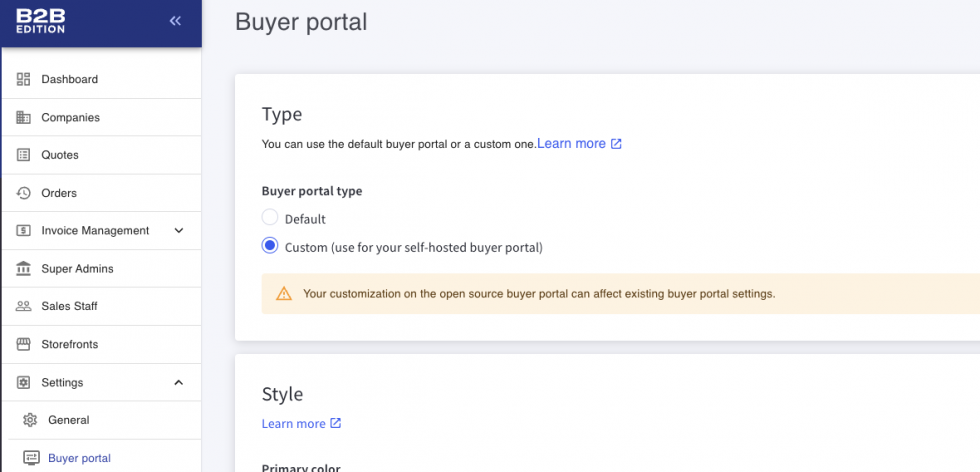
By cloning the open-source B2B Buyer Portal GitHub repository of BigCommerce, you can customize the B2B Buyer Portal as per your requirements. You can host your customized B2B Buyer Portal on your own server and use it as your self-hosted buyer portal.
Prerequisites
Before setting up the B2B Buyer Portal locally for the customizations, you need to have the following requirements:
- Access to the B2B edition app in the Bigcommerce control panel
- B2B enabled on your Channel from the B2B Edition settings
- Git
- Node.js version >=22.16.0
- Yarn v1.22.17
Local Development
Follow these steps for local development of the B2B Buyer Portal:
1. Install the nvm first.
2. After installing nvm. Run the command below in the terminal/command prompt to install the required Node.js version.
nvm install 22 && nvm use 223. Now, you can install Yarn by using the command below.
npm install -g yarn4. After the installation of Yarn, run the following command to clone the b2b-buyer-portal repository.
git clone https://github.com/bigcommerce/b2b-buyer-portal.git5. Now, go to the B2B-buyer-portal using this command.
cd b2b-buyer-portal6. Then, install the dependencies with the following command.
yarn7. Copy the environment variables to the .env file using the below command.
cp apps/storefront/.env-example apps/storefront/.env8. Now, update the values in .env with your specific values.
9. Afterwards, start the development server with the following command.
yarn devYou should access your store website using its URL instead of http://localhost:3001/. The localhost URL is the base URL of the B2B Buyer Portal while developing the Buyer Portal on BigCommerce Stencil storefront or headless storefronts. You can read the guide for developing a B2B Buyer Portal on the BigCommerce Stencil storefront platform. You can also read the guide for developing a B2B Buyer Portal on headless storefronts, Catalyst, NextJS, and other headless storefronts.
Please contact us at manish@bay20.com or call us at +91-8800519180 / +91-9582784309 for any support related to Bigcommerce. You can also visit the Bigcommerce development page to check the services we offer.






