Tag Archives: Bigcommerce Tutorial

BigCommerce Price Lists: Set Up Customer-Specific Pricing

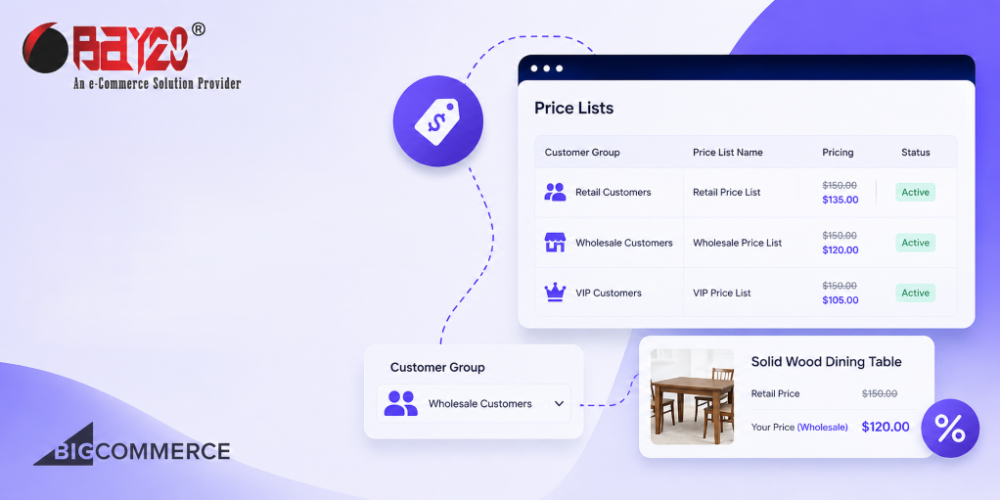
If you sell to businesses, you already know one thing: every customer wants a different price. A wholesale buyer wants a bulk rate. A long-time client wants their loyalty discount. A distributor wants a completely separate rate sheet because the contract says so. In a normal store, this turns into a mess of spreadsheets and […]

BigCommerce B2B Buyer Portal: Local Development Setup

B2B Buyer Portal is an open-source monorepo frontend application designed for the BigCommerce B2B Edition Buyer Portal. This Buyer Portal is built using Turborepo, TypeScript, and React. This allows developers to build a customized buyer portal experience using the Buyer Portal’s source code, reducing the solution’s cost for complex B2B needs. BigCommerce provides a strong foundation for developers […]

Create Companies in BigCommerce B2B: Manual & CSV Bulk

BigCommerce

In the BigCommerce B2B edition, there are several ways to create a company. Apart from customers applying for a Company account, there are other ways to create company accounts from the Bigcommerce B2B dashboard. You can check our Apply for Company Account blog for applying for a Company account. Let’s have a look at the […]

BigCommerce One-Click Catalyst: Create a Storefront

How to Create a BigCommerce Catalyst Storefront

You can create a new Catalyst storefront channel in the Channels section of the store control panel, just like other channel types. This process, referred to as One-Click Catalyst, does more than create a channel; it also includes deploying a hosted preview of the storefront and provisioning a corresponding site in the Makeswift visual editor.

Add Metafields in BigCommerce

Add Metafields in BigCommerce

Metafields in BigCommerce are used to provide additional information about the Products, Variants, Categories, Brands, Carts, Customers, Orders, Locations, and Channels. It is pieces of information constructed in key-value pairs. BigCommerce doesn’t have the feature for adding the metafiles via the admin panel but there are some ways of adding them. Via API Apps Adding […]

Upload favicon in BigCommerce

Upload Favicon in BigCommerce

A favicon stands for “favorite icon” and is a small icon associated with a website or web page. It appears in various places such as the browser tab, bookmarks, and address bar. It represents the website’s or store’s brand or logo, providing a visual cue for users when browsing or managing their tabs. Steps and […]

Gift Wrapping in BigCommerce

Offering Gift Wrapping in BigCommerce

Gift wrapping in BigCommerce is an advanced feature that allows us to offer Gift Wrapping options to customers, ultimately boosting sales. In this article, you’ll be illustrated how to add Gift Wrapping options in your store and the benefits of adding them. Benefits of Offering Gift Wrapping Enhanced Customer Experience: It helps to improve customer […]

How to Create Coupon Codes in BigCommerce?

How to Create Coupon Codes in BigCommerce

A coupon code is a string we generate and provide customers for offering them some discounts, and promotions. It is a great way to attract new customers and increase order value and it’s the best way to thank your loyal customers. Customers can use coupon codes at the checkout. In BigCommerce, creating a coupon code […]

How to add 301 Redirect in bigcommerce?

add 301 Redirect in BigCommerce

301 Redirect is an efficient as well as SEO-friendly choice for permanently redirecting the old URL to a new one. Like, if there is a page that used to be at http://store.com/old-page and is now that page is at http://store.com/new-page, It needs to be sure that anyone who is going to the old page should […]