

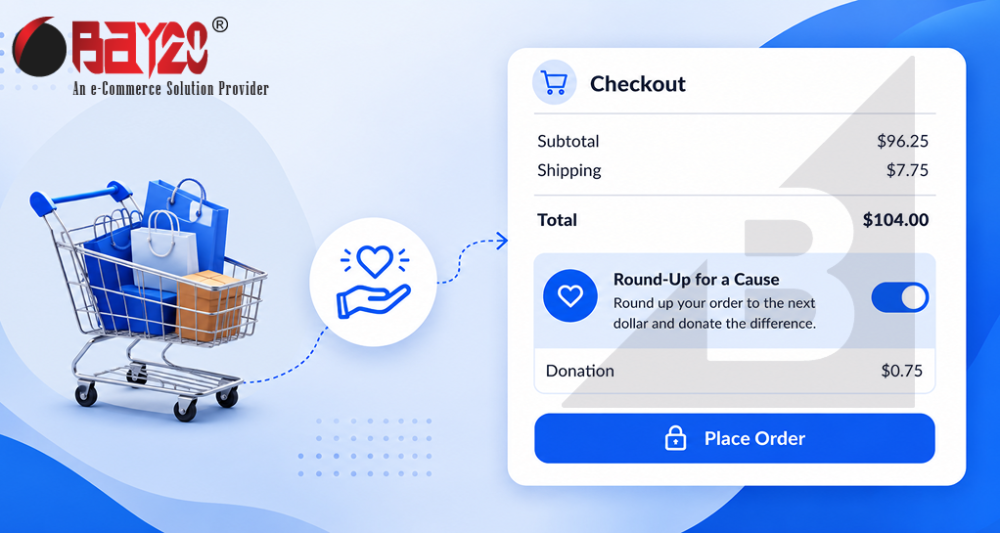
You’ve probably seen this at a grocery store checkout. Your total is $47.35, and the machine asks if you want to round up to $48.00, with the extra 65 cents going to some charity. It’s a small ask, easy to say yes to, and it adds up to real money over time. You can do the same thing on a BigCommerce store. It doesn’t come built in, but it’s not hard to add. You just need a small backend function and BigCommerce’s Server-to-Server (S2S) Cart API to make it work. Here’s how I built it.
How it works, step by step
- Customer gets to checkout, and their cart total is calculated as usual.
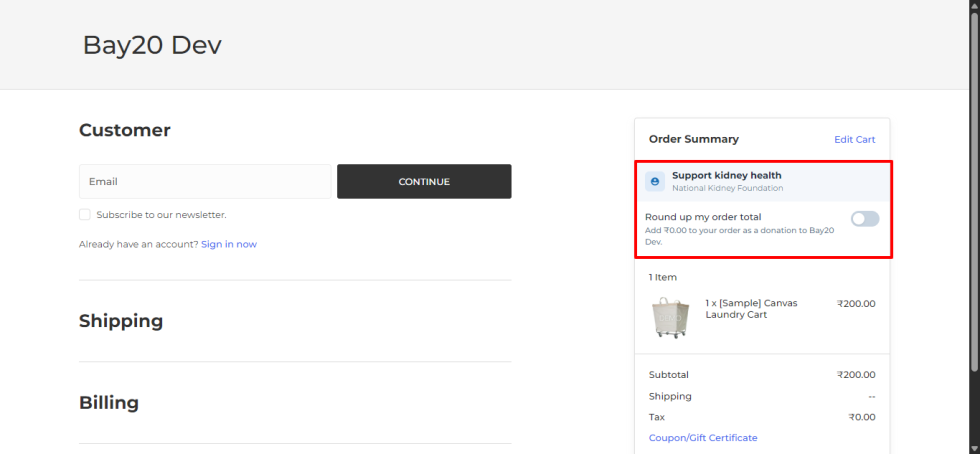
- They see a checkbox that says something like “Round up my order to donate the difference.”
- If they check it, a small backend function adds a new line item to their cart called “Donation,” priced at whatever the rounding difference is.
- The cart total updates right away, and the donation shows up as its own line on the order.
The important part is that this can’t just happen on the screen. You can’t just show a bigger number and call it a day. BigCommerce needs to actually know about that donation as a real item in the cart, otherwise it won’t show up correctly on the order or in any reports later.
Why I used a backend function instead of doing it in the browser
BigCommerce lets you read cart data pretty easily from the browser, but changing the cart in a way you can trust needs to happen somewhere safer. If you tried to do this directly in the browser, you’d have to expose your store’s API keys to anyone who opens dev tools, which is not something you want.
So instead, I used a small serverless function (I used Vercel, but any similar service works fine) to sit in between. It holds onto the API keys, and it’s the only thing actually talking to BigCommerce. This also gives you one place to control the rules, like how much someone can donate, or whether you round to the nearest dollar or nearest five dollars.
What the function actually does
Nothing fancy here. It grabs the cart total, figures out how much extra is needed to round it up, and adds that as a line item using the S2S Cart API.
// /api/round-up.js (Vercel serverless function)
export default async function handler(req, res) {
  const { cartId, currentTotal } = req.body;

  const roundedTotal = Math.ceil(currentTotal);
  const donationAmount = +(roundedTotal - currentTotal).toFixed(2);

  if (donationAmount <= 0) {
    return res.status(200).json({ message: "Already a round number" });
  }

  // Add the donation as a line item using the S2S Cart API
  const response = await fetch(
    `https://api.bigcommerce.com/stores/{store_hash}/v3/carts/${cartId}/items`,
    {
      method: "POST",
      headers: {
        "X-Auth-Token": process.env.BC_API_TOKEN,
        "Content-Type": "application/json",
      },
      body: JSON.stringify({
        line_items: [
          {
            name: "Round-Up Donation",
            quantity: 1,
            list_price: donationAmount,
          },
        ],
      }),
    }
  );

  const data = await response.json();
  res.status(200).json(data);
}
A few things I learned along the way:
- Don’t let duplicates pile up. If someone checks the box, unchecks it, then checks it again, you need to remove the old donation line item first, not just keep adding new ones. The easiest way is to save the line item ID the API gives you back, and keep it somewhere the frontend can reach, like a cookie or local state tied to the cart.
- The rounding rule is your call, not a fixed thing. Some stores round up to the nearest dollar. Others round to the nearest five dollars, or let the shopper pick their own amount. Keep this as a setting you can change instead of hardcoding
Math.ceileverywhere. - Sometimes you need a real product, not just a line item. Depending on how your catalog and taxes are set up, you might need an actual hidden “Donation” product in BigCommerce instead of a fully made-up line item, especially if taxes need to work correctly on it.
What happens when someone changes their mind
People uncheck the box too. When that happens, you need a matching function that removes the donation:
await fetch(
  `https://api.bigcommerce.com/stores/{store_hash}/v3/carts/${cartId}/items/${donationLineItemId}`,
  {
    method: "DELETE",
    headers: { "X-Auth-Token": process.env.BC_API_TOKEN },
  }
);
Make sure the checkbox on screen actually matches what’s in the cart. Sometimes a customer changes their quantity or applies a coupon, and that can knock the donation out of sync without them touching the checkbox at all. It’s worth double-checking the donation still exists whenever the cart total changes.
On the storefront side
The checkbox itself is simple. Just drop it near the order summary, and use a bit of JavaScript to:
- Grab the current cart total.
- Call your backend function when the box is checked or unchecked.
- Update the total on screen once you get a response back.
If the cart total can change quickly, like when someone’s typing in a coupon code or changing quantities, add a small delay before calling your function. Otherwise you’ll end up calling it way more than you need to.
Don’t forget about tax and accounting
Talk to whoever handles finance for the store before you build this, not after. Donations often need to be tax-exempt, and most merchants want to see donation money reported separately from actual product sales. This is much easier to plan for upfront than to fix later.
Conclusion
This feature looks simple from the outside, just a checkbox, but it touches the cart, taxes, and how the money gets reported. Using a small backend function alongside the S2S Cart API keeps things clean and secure, and makes it easy to change the rounding rule later without touching your theme code.
If you’re planning to build something like this, spend time upfront figuring out the business rules, like how much to round up, how taxes should work, and what happens when someone changes their mind. That’ll save you more time than anything else.
Please contact us at manish@bay20.com or call us at +91-9582784309 or +91-8800519180 for any support related to Bigcommerce. You can also visit our website to check the services we offer.






