

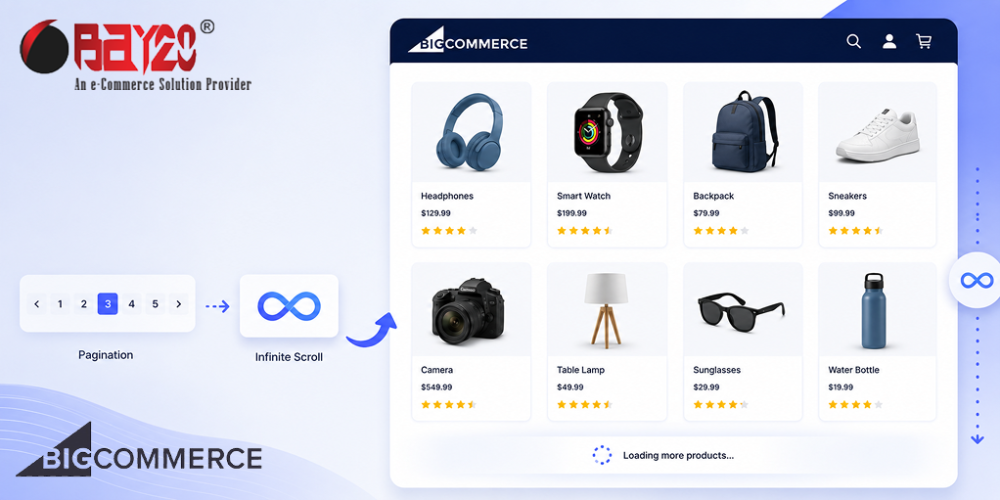
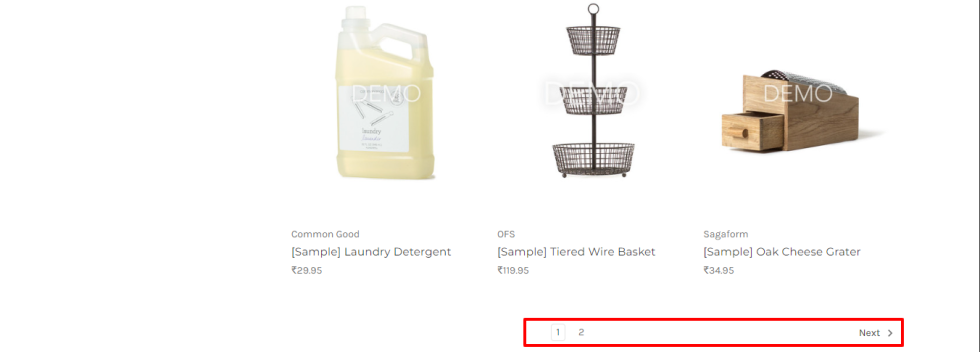
If you have ever built a category page in BigCommerce, you know the default setup. Products load in a grid, and at the bottom, there is a row of page numbers. Click 2, wait for the page to reload, click 3, wait again. It works, but it is not exactly a modern shopping experience anymore. A lot of clients ask for infinite scroll instead, where new products load in as you scroll down. On a Cornerstone theme, this is easier to pull off than it sounds.
How does it work?
BigCommerce’s pagination already gives you everything you need. Each page number is just a link with an href, like /shop-all/?page=2. So instead of building a complex API integration, fetch that page in the background, extract the product grid from it, and add those products to the current grid. Then grab the pagination from that fetched page and swap it in for the old one, so you always know where the “next” link is pointing. No page reload, no visible page numbers, just products appearing as you scroll.
Step 1: Hide the pagination, but keep it on the page
Do not remove the pagination markup. Just visually hide it using Cornerstone’s u-hiddenVisually class. This way, if JavaScript fails to load for some reason, or a search engine crawls the page, the pagination is still there and still works. It is a nice fallback to have for free.
Step 2: Add a sentinel element
Add an empty div right after the product grid. Its only job is to tell you when the user has scrolled near the bottom.
let sentinel = document.createElement('div');
sentinel.id = 'infinite-scroll-sentinel';
grid.insertAdjacentElement('afterend', sentinel);
Do not try watching the pagination buttons directly. Since they are hidden, the browser does not reliably fire scroll events on them. A dedicated sentinel div is a lot more predictable.
Step 3: Watch the sentinel with IntersectionObserver
This is the browser API that tells you when an element enters the viewport. Use it instead of listening to scroll events yourself, since the browser handles all the performance stuff for you.
const observer = new IntersectionObserver((entries) => {
    entries.forEach((entry) => {
        if (entry.isIntersecting && !isLoading) loadNextPage();
    });
}, {
    rootMargin: '200px',
});

observer.observe(sentinel);
The rootMargin: '200px' bit just means it starts loading a little before the user actually hits the bottom, so there is no awkward pause where they see empty space.
Step 4: Fetch the next page and pull out what you need
When the sentinel comes into view, fetch the URL from the current “next” pagination link, parse the returned HTML, and grab the product grid and the pagination block from it.
const res = await fetch(nextUrl);
const html = await res.text();
const doc = new DOMParser().parseFromString(html, 'text/html');
const newGrid = doc.querySelector('.productGrid');
const newPagination = doc.querySelector('.pagination');
Then append the new products to the existing grid, and replace the old pagination block with the freshly fetched one.
Array.from(newGrid.children).forEach((li) => grid.appendChild(li));
pagination.replaceWith(newPagination);
We are replacing the pagination instead of just reading the href once and incrementing a page number ourselves, because BigCommerce already tells you exactly what the next link is on every fetched page. You do not have to do any page number math, and it naturally stops working once there is no next page to find.
Step 5: Know when to stop
On the last page, BigCommerce simply does not render a “next” link at all. So the stopping condition is dead simple: if there is no next link in the pagination you just fetched, disconnect the observer, and you are done.
const nextLink = pagination.querySelector('.pagination-item--next a');
if (!nextLink) observer.disconnect();
Things to watch out for
- Duplicate loads. If someone scrolls fast, the sentinel can trigger the observer more than once before the fetch even finishes. Add a simple
isLoadingflag around the fetch call to stop products from getting appended twice. - Faceted search and sorting. If the theme has filters or a sort dropdown, those usually replace the whole product grid through their own AJAX call. The infinite scroll setup needs to run again after that happens, otherwise it will keep watching a sentinel that does not exist anymore, or worse, one that is attached to old products. Hook into the event that the faceted search fires when it finishes rendering, and re-run the setup function against the fresh grid.
Is it worth it
For most stores, yes, especially ones with a lot of products in one category where clicking through pages feels tedious on mobile. That said, infinite scroll is not always the right call. If the footer or a “shop by category” section below the grid is important for navigation or SEO, endless scrolling can bury it forever. Worth flagging with the client before building it, not after.
Overall, this is one of those features that sounds like it needs a big rewrite but ends up being maybe eighty lines of JavaScript, most of it just careful handling of a fetch call.
Please contact us at manish@bay20.com or call us at +91-9582784309 or +91-8800519180 for any support related to Bigcommerce. You can also visit our website to check the services we offer.






