

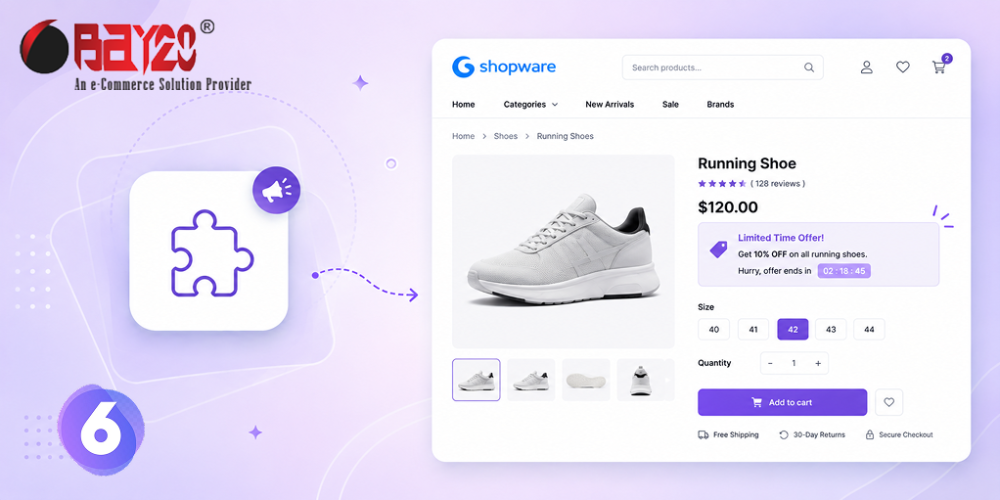
Most stores announce their offers in the worst possible place — a banner across the top of the homepage, which shoppers have been trained to scroll past for twenty years. By the time someone is on a product page weighing up a purchase, that message is long gone.
Bay20 Promotion Message On Product Page moves the message to where the decision actually happens.
A message on the page that matters
The plugin displays a custom promotional message on your Shopware 6 product pages: a seasonal offer, a free-shipping threshold, a discount code, a delivery cut-off, a bundle deal. You write it once in the plugin configuration and it appears on the product detail page, right next to the buying decision.
You can also choose which category the message applies to, so a “20% off all outerwear” line shows on coats and nowhere else. No template edits, no theme development, no developer ticket.
The stock-aware option
The more interesting mode is stock-based display. Enable “Enable Stock-Based Message Display” and set a threshold, and the message only appears once a product drops below that stock level.
Used honestly, this is one of the most effective nudges in ecommerce. A line like “Only a few left in stock” carries weight precisely because it is tied to your real inventory rather than a fake countdown timer. Shoppers have become very good at spotting manufactured urgency; a message driven by actual stock data is both more persuasive and safer ground under EU and UK consumer-protection rules.
Leave the option disabled and the message simply shows on every product regardless of stock — ideal for store-wide announcements.
Simple to run
Configuration lives in Extensions → My extensions → Configure. Enter your message, pick a category, optionally set the stock threshold, save, clear the cache. That is the whole workflow, which means your marketing team can change a promotional line in under a minute without waiting on development time.
The plugin supports Shopware 6.5.0.0 through 6.7.12.1, ships in English and German, and starts from around €4.17 per month on the annual plan — comfortably the cheapest way to add promotional messaging to a Shopware storefront.
If you are already thinking about conversion rate, it pairs naturally with Bay20 Smart Cart Boost for cross-sells and Pseudo Price Custom Text for discount messaging. You can also read more of our Shopware guides and tutorials on the Bay20 blog.
For more updates or any support related to Shopware 6, please contact us at wargis@bay20.com/manish@bay20.com or call +91-8800519180 / +91-9582784309. You can also visit our Shopware development page to explore the services we offer.






