


When managing an online store, how products are displayed can directly impact conversions. In Shopware 6, sorting plays a crucial role in guiding customers toward the right products. But what if you want different sorting rules for different categories?
For example:
- In Outlet, you may want to show the cheapest products first.
- In New Arrivals, the newest items should appear at the top.
- In Best Sellers, products should be sorted by popularity.
Shopware 6 allows you to configure this, but it’s not always obvious at first glance. Let’s walk through it in a simple, practical way.
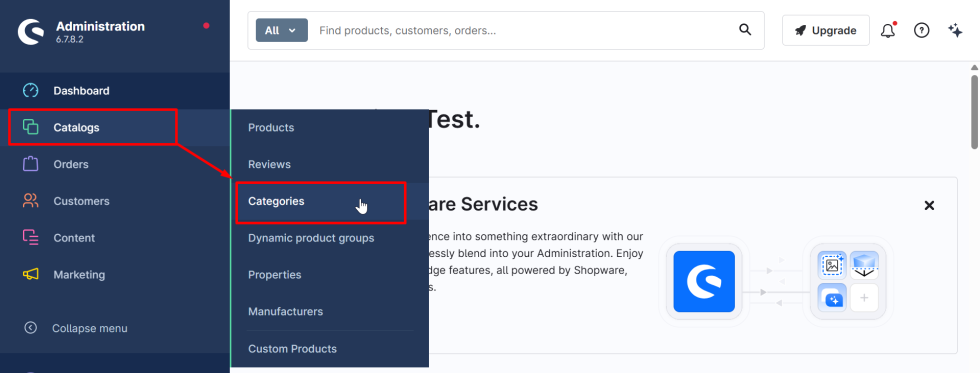
Step 1: Go to Catalogs → Categories.
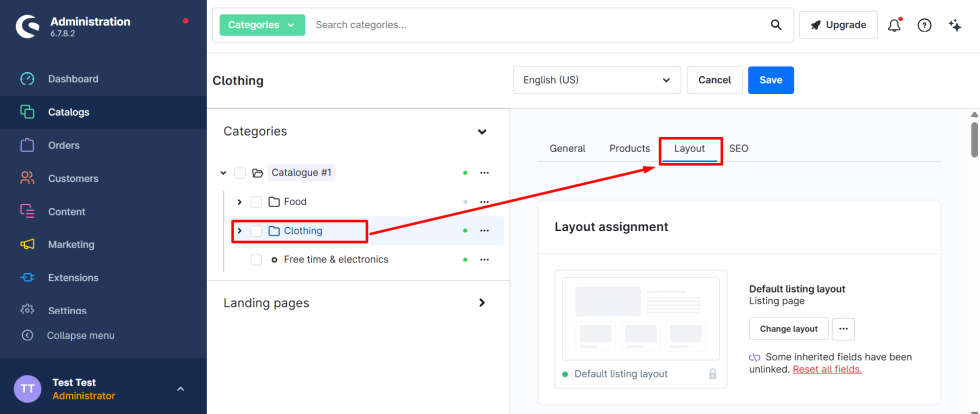
Step 2: Select the category whose sorting you want to change and navigate to “Layout” as shown in the screenshot.
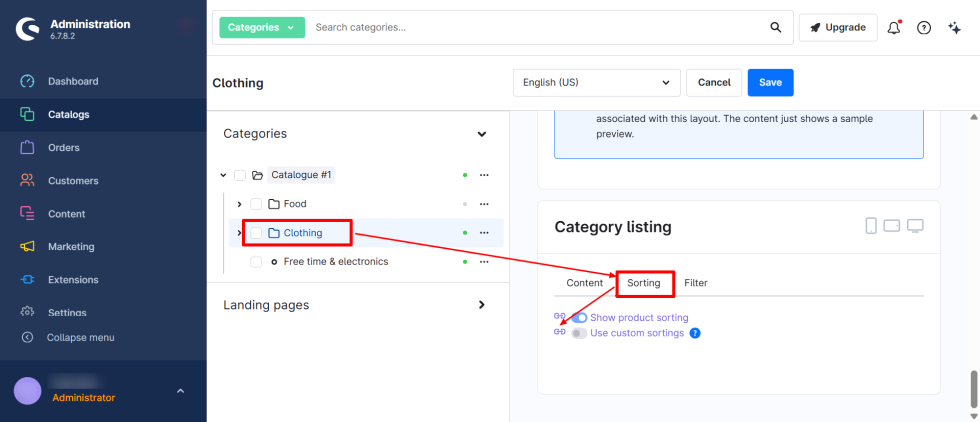
Step 3: Scroll down to the “Category Listing” section and click on the “Sorting” tab. Then, remove inheritance by clicking on the icon of inheritance, as shown in the screenshot.
Step 4: Enable “Use custom sortings” and assign default sorting and product sortings as required.
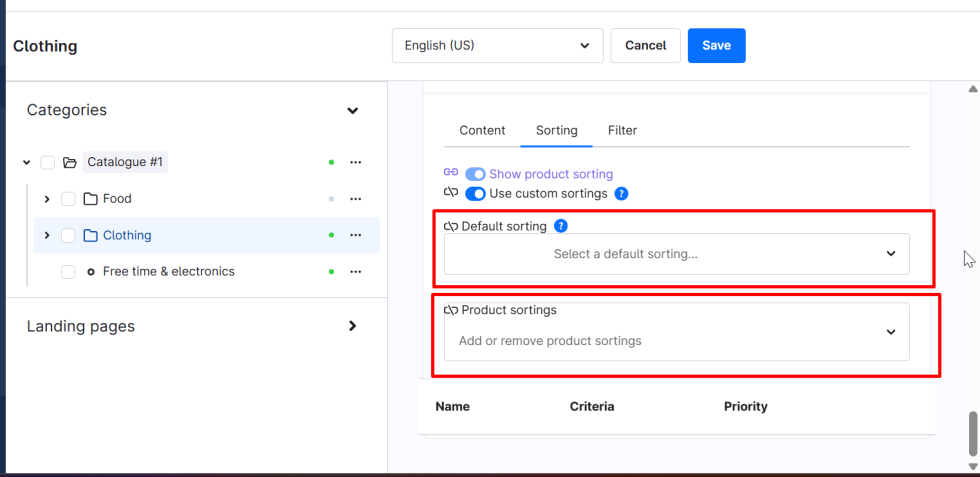
Step 5: Select the default sorting from the available options—this will be applied as the default for that category.
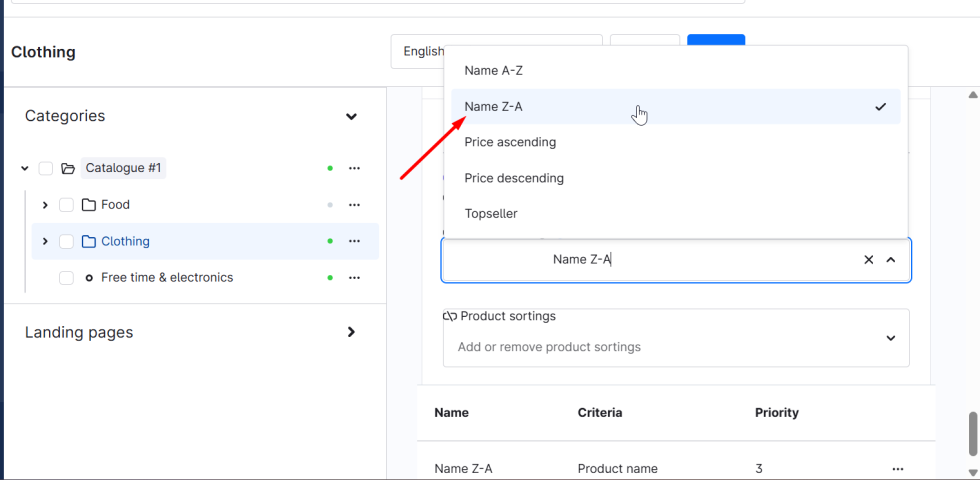
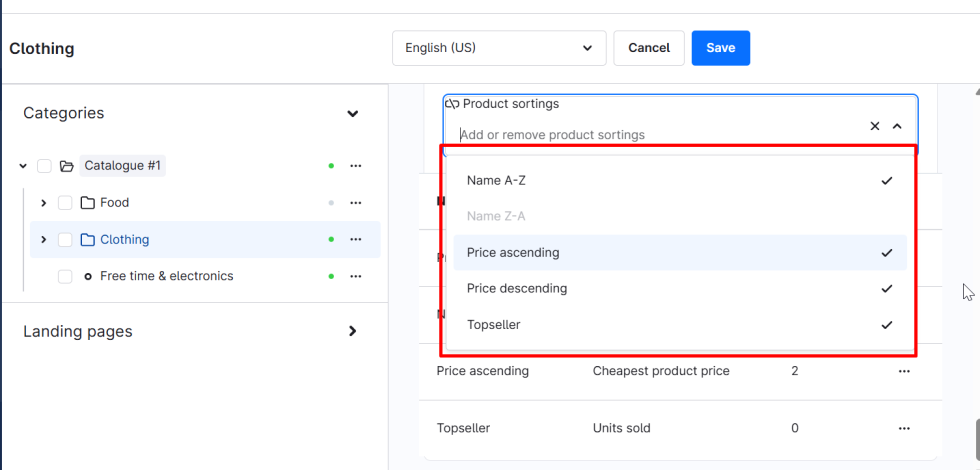
Also, choose the product sortings that should be available as selectable options within that category.
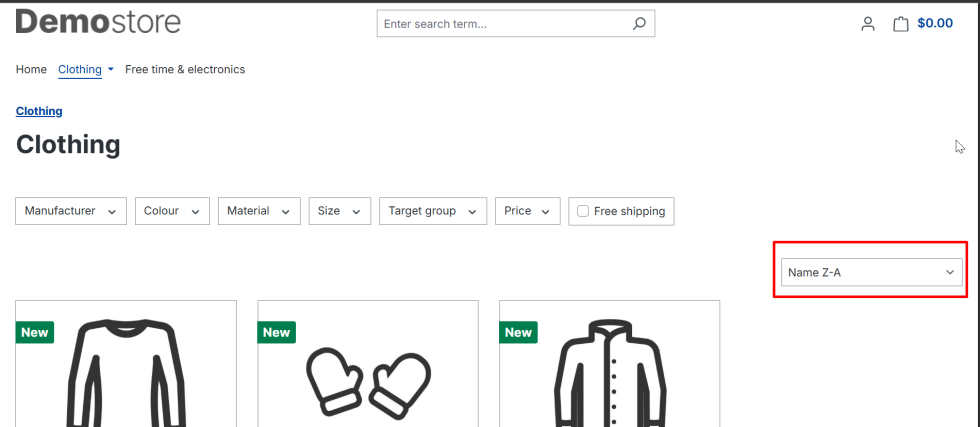
Now you can see the updated sorting in the storefront, as we have successfully changed the sorting for that particular category.
By configuring category-specific sorting in Shopware 6, you gain greater control over how products are presented to your customers, allowing you to align product visibility with your business goals. Whether you want to highlight discounted items, showcase new arrivals, or push best-selling products, tailored sorting helps create a more intuitive and engaging shopping experience. Implementing this small but powerful feature can significantly improve product discoverability and ultimately drive better conversion rates in your store.
For more updates or any support related to Shopware 6, please contact us at manish@bay20.com or call +91-8800519180 / +91-9582784309. You can also visit our Shopware development page to explore the services we offer.






